Command contracts
Inspect what a command does, where it comes from and whether it reads or changes the repository before running it.
Review project automation before it runs.
Vigil helps developers inspect commands, run repository checks and review the evidence they produce. It brings configuration, command permissions and reviewed execution plans into a local command line tool.
Inspect what a command does, where it comes from and whether it reads or changes the repository before running it.
Review a plan before execution. Vigil checks whether the repository or configuration has changed since that review.
Keep readable reports and structured results for repository checks, Git hooks, CI and later review.
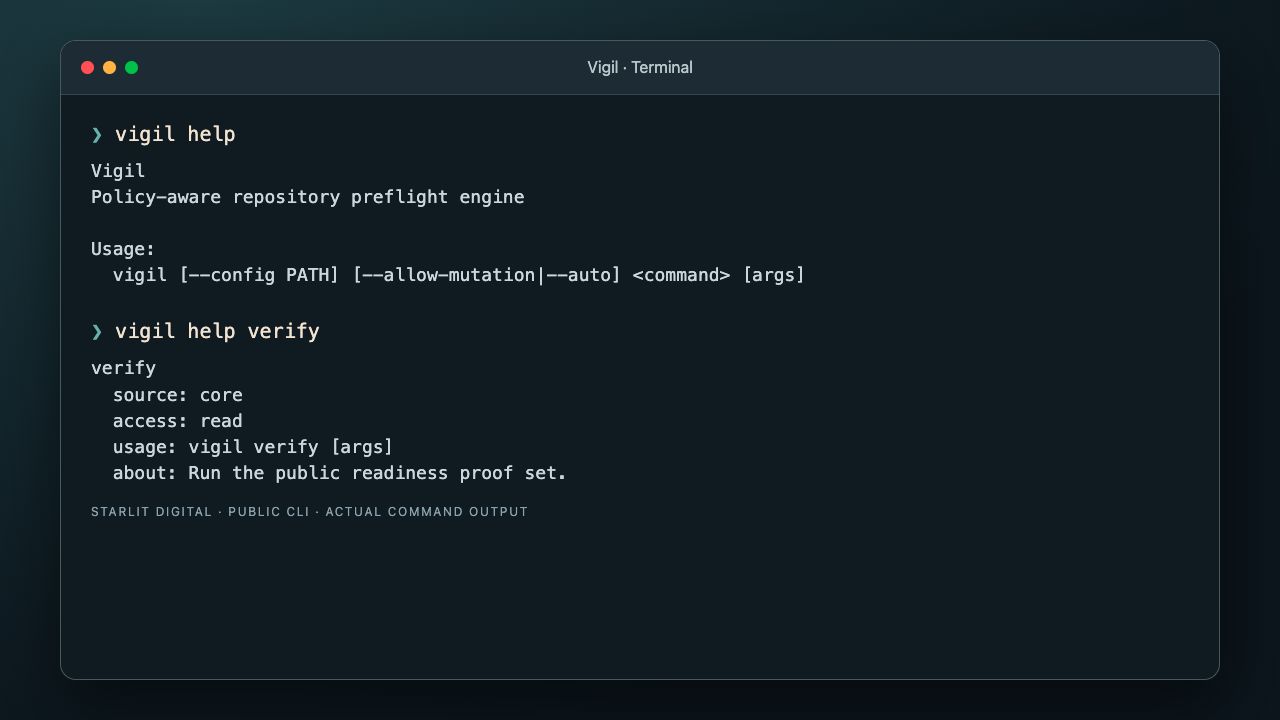
Start with the command reference. Vigil lists core commands and the checks available through its configured feature packs. Help identifies the command source, access level and usage.
Build the public source with Go 1.26.5 or later, Bash and Make. The native build installs the command in ~/.local/bin; add that directory to PATH.
git clone https://github.com/PayCal-Technologies/vigil-public.git
cd vigil-public
make buildExplore the available commands and their contracts before configuring checks for your project.
vigil help
vigil list
vigil help verify
vigil help planVigil works with your existing project commands. Configure checks for the repository you are using, review commands that can change files, and inspect their output.
It provides local checks and evidence. It does not replace CI, deployment tools or an operating system sandbox. Release availability and platform qualification are documented in the public repository.