doctor
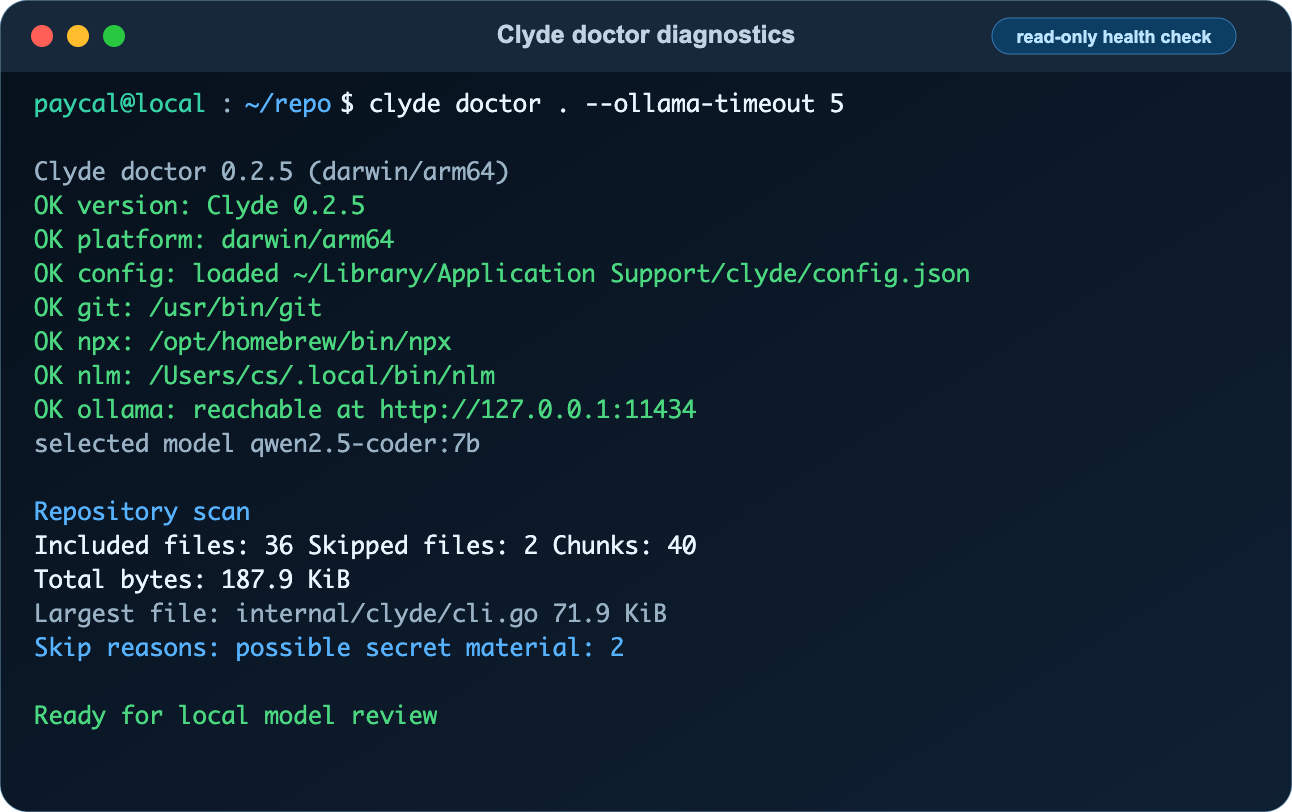
Check Clyde configuration, platform, PATH tools, Ollama, and optional repo scan readiness.
Syntax#
clyde doctor [REPO] [--json] [--ollama-timeout SECONDS]Options#
| Flag | Purpose |
|---|---|
--json | Print machine-readable diagnostics for automation and AI agents. |
--ollama-timeout | Seconds to wait for the local Ollama diagnostic check. |
Arguments#
REPOis optional. When present, Clyde scans the repository with the configured file and chunk limits and reports included files, skipped files, chunks, and total bytes.
Examples#
clyde doctorclyde doctor .clyde doctor . --jsonclyde doctor --ollama-timeout 5Example Use Cases#
Use doctor before first setup, after changing config, before NotebookLM sync, or when an AI assistant needs a compact local environment report. It checks Clyde version, OS/architecture, config loading, PATH availability for Git, npx, and nlm, local Ollama reachability, and optional repository scan readiness.
Safety Notes#
doctor is read-only. It does not upload source, write bundle files, modify config, or start the status daemon. The Ollama check contacts the configured Ollama URL, which should normally be local.